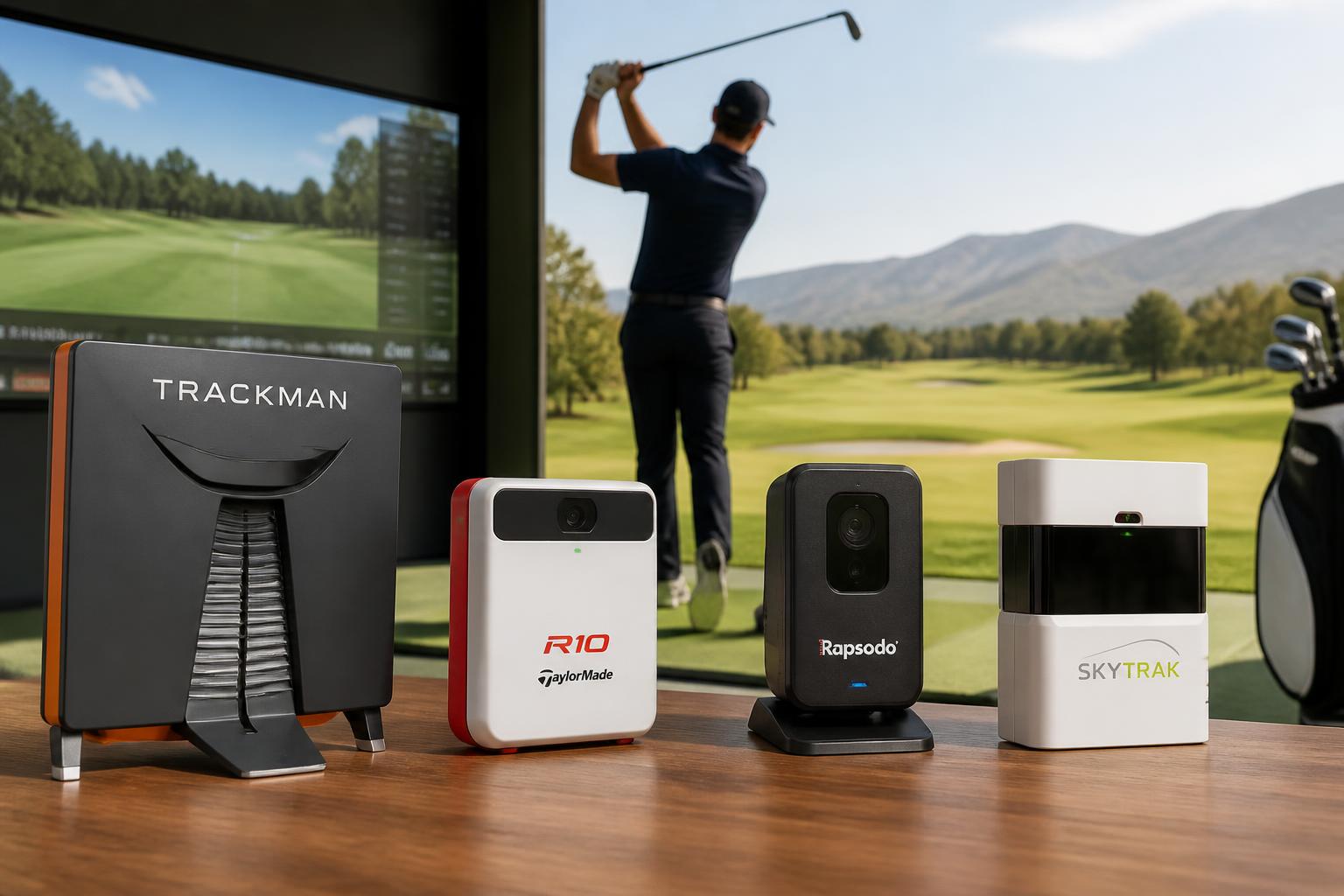
Golf Launch Monitor Comparison Chart: TrackMan, R10, Rapsodo, SkyTrak
If you’re shopping for a launch monitor, the first wall you hit is the price spread. A TrackMan costs more than a used car. A Garmin R10 or Rapsodo costs less than a new driver. Both are called “launch monitors.” They are not the same tool.
This chart breaks down what each unit actually measures, where it works, and who should buy it. Use it to match the device to your practice situation, not to the marketing page.
The Core Difference: Radar vs. Camera
Before comparing models, you need to know the two measurement technologies, because they decide where you can use the unit.
Doppler radar (TrackMan, Garmin R10, Rapsodo MLM2PRO) tracks the ball and club through the air using radio waves. Radar units work outdoors with real ball flight. Indoors, they need a net and a short flight distance to read the ball. Radar is generally better at measuring club path and face angle at impact.
Photometric (SkyTrak) uses high-speed cameras to capture the millisecond around impact. Camera units work indoors and outdoors, but they need good lighting. They measure the club at impact, not through the swing, so some club data is calculated rather than directly measured.

This single choice drives everything else: where you can practice, what data you trust, and what you pay.
The Comparison Chart
| Feature | TrackMan 4 | Garmin R10 | Rapsodo MLM2PRO | SkyTrak |
|---|---|---|---|---|
| Price Range | $25,000+ | ~$600 | ~$700 | ~$2,000 |
| Technology | Doppler radar | Doppler radar | Doppler radar + camera | Photometric (camera) |
| Indoor Use | Yes (with net) | Yes (with net) | Yes (with net) | Yes |
| Outdoor Use | Yes | Yes | Yes | Yes |
| Ball Data | Full: speed, launch, spin, carry, total, descent | Full: speed, launch, spin, carry, total | Full: speed, launch, spin, carry, total | Full: speed, launch, spin, carry, total |
| Club Data | Full: path, face, strike, swing plane | Path, face, club speed | Club speed, path, face | Club speed, face (calculated) |
| Putting Data | Yes | No | No | Yes |
| Simulator Software | Full integration | Free app + third-party | Free app + third-party | Built-in + third-party |
| Subscription | No | No | Yes (after first year) | No (for basic) |
| Best For | Teaching pros, fitters, serious sim builders | Budget indoor practice | Tech-focused golfers who want video | Indoor sim builders on a mid budget |
Prices vary by retailer and package; verify locally before buying.
TrackMan 4: The Professional Standard
The TrackMan 4 is the unit you see in tour trucks and high-end fitting studios. It measures everything: ball flight, club delivery, low-point control, face-to-path, and even strike location on the face.
Why it costs what it costs: TrackMan uses multiple radar antennas to track the club through the entire swing, not just at impact. That gives fitters data no other portable unit can match — like angle of attack and swing plane measured directly, not calculated.
Who should buy it: Golf professionals, club fitters, and indoor simulator facilities. If you are a serious amateur, you are paying for capability you will not use. The subscription-free software is excellent, but the hardware price is the barrier.
The catch: You need space. TrackMan recommends roughly 15 feet from ball to net indoors and a clear outdoor area. It is also not a “take it to the range in your trunk” unit — it comes in a heavy case and needs a tripod.
Garmin R10: The Budget Indoor Option
The Garmin R10 changed the market when it launched at roughly $600. It gives you ball speed, launch angle, spin, carry, and total distance, plus club path and face angle. For the price, that is remarkable.
What it does well: The R10 works indoors with a net and 8–10 feet of ball flight. It pairs with the Garmin Golf app, which includes virtual rounds and practice modes. It also works outdoors at the range, though accuracy on spin can drift on mis-hits.
What it does poorly: Spin readings are less reliable than the higher-end units, especially with wedges. The club data (path and face) is calculated, not measured directly, so it is a guide rather than a fitting-grade number.
Who should buy it: Golfers who want to practice at home with a net, track their distances, and play simulator golf without spending thousands. It is the best entry point, but treat the club data as directional, not definitive.
The catch: The R10 needs a clear line of sight to the ball and about 10 feet of depth indoors. It also requires a smartphone or tablet for every session — there is no built-in screen.
Rapsodo MLM2PRO: The Video-and-Data Hybrid
The Rapsodo MLM2PRO combines radar with a camera, which gives you something the R10 does not: actual video of your swing synced to the data. You see the impact frame and the ball flight trace overlaid on the footage.
What it does well: The video integration is the standout feature. You can review your swing frame-by-frame with launch data displayed on the same screen. It also includes a built-in screen and voice output, so you can use it without a phone if you want.
What it does poorly: The subscription requirement. After the first year, you pay an annual fee to keep full access to the app, simulator software, and advanced data. That changes the total cost of ownership.
Who should buy it: Golfers who want to work on swing mechanics, not just distance numbers. If you are the type who films your swing at the range, the MLM2PRO combines that habit with launch data in one device.
The catch: Like the R10, it needs a net and short flight indoors. The subscription is the main long-term cost to budget for.
SkyTrak: The Indoor Simulator Specialist
The SKYTRAK Golf Launch Monitor is a camera-based unit that has been the go-to for home simulator builders on a mid budget for years. It measures ball speed, launch angle, spin, carry, and total distance, and it includes putting data — something the radar units in this list do not offer.
What it does well: Indoor performance. Because it uses cameras rather than radar, it does not need a long flight path. You can hit into a net from a few feet away and get reliable readings. The built-in simulator software is mature, with course play, practice ranges, and skill challenges.
What it does poorly: Club data is limited. SkyTrak measures club speed and calculates face angle, but it does not measure club path or angle of attack. If you need those numbers, you are looking at the wrong unit.
Who should buy it: Golfers building a dedicated indoor simulator space. If your priority is playing virtual golf and tracking ball flight in the winter, SkyTrak is proven. If you want club delivery data for swing work, look elsewhere.
The catch: Camera units need consistent lighting. Set up in a bright, even-light space. Also, the subscription model has changed over the years — check the current plan before buying, because some features require a paid tier.
How to Choose: Decision Rules
Use these rules to narrow the field before you look at prices.
Choose TrackMan if: You are a professional, a fitter, or building a commercial sim studio. You need fitting-grade club data and can justify the investment.
Choose Garmin R10 if: You want an affordable home practice tool, you already have a net, and you are okay with approximate club data. This is the lowest-risk purchase.
Choose Rapsodo MLM2PRO if: You want video of every swing synced with data, and you are comfortable with a subscription after year one.
Choose SkyTrak if: You are building an indoor simulator, you want putting data, and you care more about ball flight than club delivery.
Skip all four if: You only want distance numbers at the range. A cheaper device like the Voice Caddie SC200Plus Portable Golf Launch Monitor gives you carry distance and swing speed without the app ecosystem, subscription, or setup requirements.
Common Mistakes When Buying
Buying for the wrong environment. Radar units struggle in tight indoor spaces. Measure your room before you buy. If you have less than 8 feet from ball to net, a camera unit like SkyTrak is the safer choice.
Ignoring the subscription. The Rapsodo MLM2PRO and some SkyTrak features require ongoing fees. Add three years of subscription cost to the purchase price before comparing.
Trusting club data from budget units. The R10 and MLM2PRO calculate club path and face angle from ball flight. That is useful feedback, but it is not the same as TrackMan’s direct measurement. Do not rebuild your swing around numbers from a $600 device.
Forgetting the net and mat cost. A launch monitor is useless without something to hit into. Budget $200–$500 for a quality net and mat before you commit.
FAQ
Do I need a launch monitor to improve?
No. A launch monitor tells you what the ball did and why. You can improve without one, but it removes guesswork from practice and makes indoor training possible.
Can I use these outdoors at a driving range?
Yes, with limitations. Radar units work well outdoors. Camera units like SkyTrak can struggle in direct sunlight because glare affects the cameras. Check the lighting conditions before relying on outdoor readings.
What is the minimum indoor space I need?
For radar units like the Garmin R10, plan for at least 8–10 feet from ball to net. For camera units like SkyTrak, 6–8 feet is usually enough. Ceiling height matters too — a full swing with a driver needs about 9–10 feet of clearance.
Do these work with golf simulator software?
Yes, to varying degrees. TrackMan integrates with the major sim platforms. The R10, MLM2PRO, and SkyTrak all connect to third-party software like E6 and GSPro, though some require a paid subscription for full integration.
Which is the most accurate?
TrackMan is the reference standard. Among the consumer units, SkyTrak has a strong reputation for ball data accuracy, while the R10 and MLM2PRO are close but less consistent on spin measurements, especially with short clubs.
The right launch monitor depends on your space, your budget, and whether you need club data or ball data. Match the device to those three factors, and you will get a tool that actually improves your practice.

Michael Reeves is a PGA Professional with over 20 years of experience in competitive golf and instruction. A former Division I collegiate player at the University of Texas, he competed on the mini-tours before transitioning to full-time coaching and golf journalism. He has been a certified PGA teaching professional since 2005 and has worked with players at every level, from absolute beginners to collegiate champions.
His writing has appeared in Golf Digest, Golf Magazine, and The Left Rough. At GolfHubz, Michael leads the editorial team, overseeing fact-checking and ensuring every answer meets the same standard he demands on the lesson tee: clear, evidence-based, and immediately useful.
When he’s not writing or teaching, Michael plays to a +1.4 handicap at his home club in Austin, Texas. He has attended over 40 major championships as a journalist and fan, and has played more than 200 courses across 15 countries.
You can reach Michael at [email protected] or follow his occasional swing analysis posts on the site.