Garmin Approach Series Guide: GPS & Rangefinder Models
The Garmin Approach lineup covers nearly every way a golfer can use technology on the course: handheld GPS units, wrist-worn GPS watches, and laser rangefinders with GPS overlays. If you’re trying to figure out which one fits your game, the first decision isn’t model numbers—it’s form factor.
Here’s a practical breakdown of what each Approach type does, who it’s for, and how to choose without overpaying for features you won’t use.
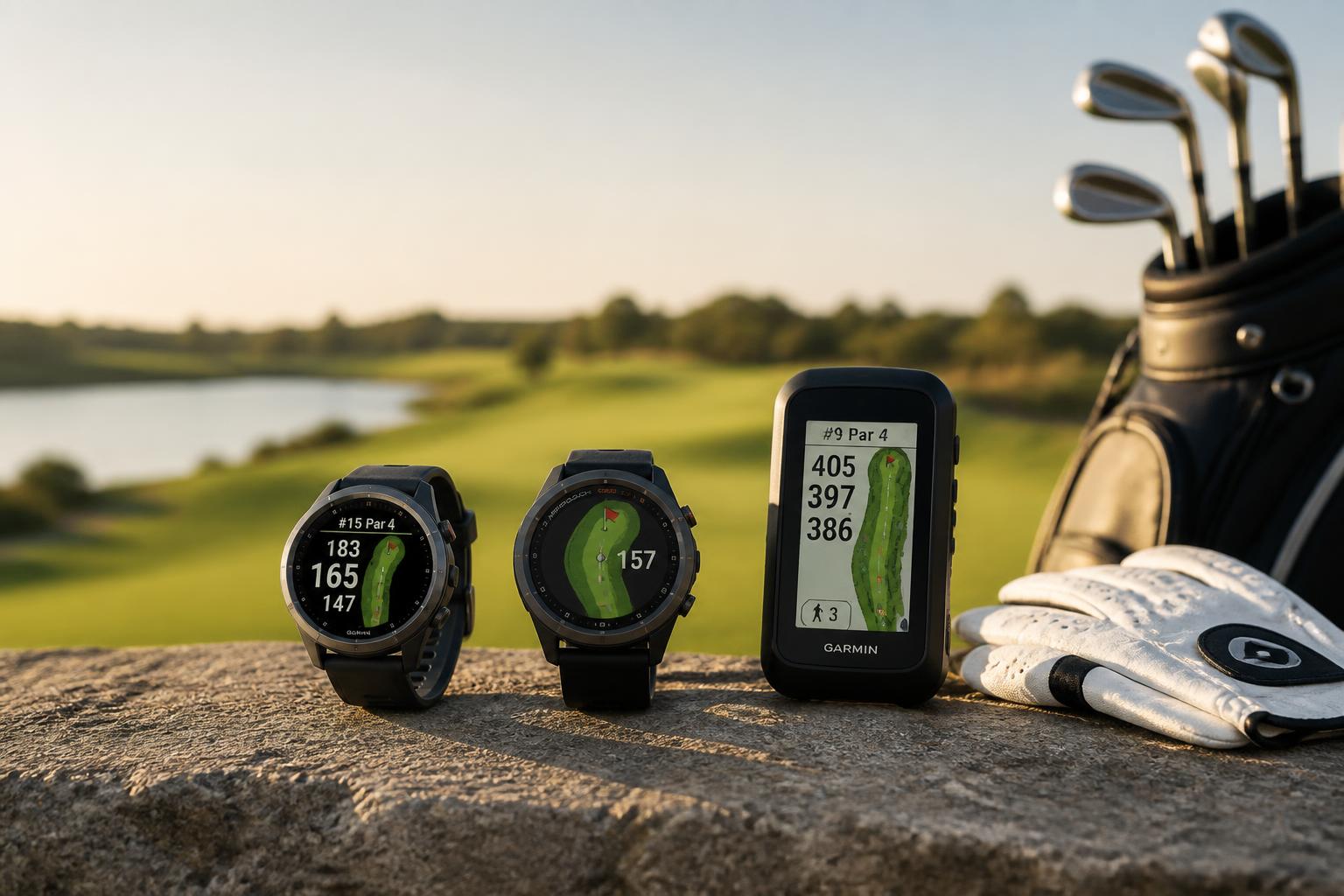
What “Approach” Actually Covers
Garmin’s Approach name applies to any golf-specific device that gives you distances on the course. Unlike a general fitness watch or a basic laser rangefinder, Approach devices combine preloaded course maps with GPS positioning. That means you get distances to the front, middle, and back of the green, plus hazard carry distances, without needing to pace off yardages or guess.
The lineup splits into three main families:
| Family | Form Factor | Best For | Approximate Price Range |
|---|---|---|---|
| Approach Handhelds | Small GPS unit on a clip or stand | Walkers, cart riders who want a big screen | $150–$500 |
| Approach Watches | Wrist GPS | Players who want distances without carrying anything | $200–$450 |
| Approach Rangefinders | Laser + GPS in one | Players who want precise pin distances plus course maps | $400–$600 |

Prices vary by retailer and model year, so treat those as planning numbers, not quotes.
Handhelds: The Big-Screen Option
Handheld GPS units are the original Approach format. They clip to your bag, sit on the cart, or attach to a push cart handle. The screen is large enough to see the full hole shape at a glance, which makes them the easiest option for players who want to see fairway contours, bunkers, and water hazards without squinting at a watch face.
The Garmin Approach G82, Portable Golf Launch Monitor & Premium GPS Handheld is the current top end of this category. It pairs a 5-inch high-resolution touchscreen with 43,000+ preloaded courses, so there’s no subscription to maintain. What separates it from older handhelds is the built-in radar launch monitor: it measures ball speed, club speed, smash factor, and swing tempo at the range. That’s a genuine two-in-one device—course GPS on the front nine, practice data on the range.
The trade-off is size. A handheld is one more thing to keep track of. If you already carry a phone for scoring, a handheld can feel redundant. But if you want a dedicated golf screen that works in direct sunlight and won’t drain your phone battery, it’s the most readable option.
Decision rule: Choose a handheld if you want the largest possible course view and don’t mind carrying a dedicated device. Choose a watch instead if you want distances with zero extra items in your pockets.
Watches: Distances on Your Wrist
Garmin’s Approach watches (S series, Vivoactive Golf Edition, and the higher-end MARQ Golf) put GPS distances on your wrist. You glance down, get the number, and put the phone away. The watches also track steps, heart rate, and sleep, so they double as everyday fitness trackers.
The practical advantage over handhelds is convenience: nothing to clip, nothing to drop, nothing to leave in the cart. The practical disadvantage is screen size. A watch face shows the hole shape in miniature, and the touch targets are smaller—harder to use with gloves on or in the rain.
Most Approach watches include Green View (drag the pin to its actual position on the green for more accurate distances) and Hazard View (distances to layup zones and trouble spots). These features are genuinely useful, not marketing filler. If you play unfamiliar courses, hazard distances save you from guessing whether that fairway bunker is carryable.
Decision rule: Choose a watch if you want distances without carrying anything extra and you’ll also wear it off the course. Choose a handheld if you want a bigger screen and you don’t need fitness tracking.
Rangefinders: Laser Precision Plus GPS Context
The newest Approach devices combine a laser rangefinder with GPS course data. You get the exact distance to the pin (laser) plus the distances to hazards and green depth (GPS) in the same viewfinder.
This solves a real problem. A standard laser tells you the pin is 152 yards out, but it doesn’t tell you that the bunker short-left starts at 145 or that the green is shallow at the back. The GPS overlay gives you that context while you’re still looking through the lens.
The trade-off is price. Rangefinder models cost more than handhelds or watches, and they require a steady hand to lock onto the flag. If you already have a laser you like, adding GPS context might not justify the upgrade. If you’re buying your first rangefinder and want both precision and course awareness, an Approach rangefinder is a solid single-device answer.
Decision rule: Choose a rangefinder if you want exact pin distances and you’re willing to pay for the GPS overlay. Choose a handheld or watch if approximate distances (front/middle/back) are good enough for your game.
A Non-Garmin Alternative Worth Knowing
If you’re comparing Garmin against other options, the The Caddie Portable Magnetic Golf GPS Tablet – Touchscreen, Gray is worth a look. It’s an 8-inch touchscreen tablet with a 360-degree hole view, so you see the entire hole layout before you hit. It also has no subscription—buy once, use forever.
The bigger screen makes it easier to read than any Garmin handheld, but it’s also bulkier. The magnetic mount attaches to a cart or push cart frame, which works well if you always ride or push. If you walk and carry your bag, the size becomes a liability.
Decision rule: Choose the Caddie if screen size matters most and you ride or push. Choose a Garmin Approach if you want the ecosystem (fitness tracking, launch monitor, or rangefinder integration) in a smaller package.
How to Choose: A Simple Decision Tree
1. Do you want exact pin distances?
- Yes → Approach rangefinder
- No → Continue to step 2
2. Do you mind carrying a dedicated device?
- No → Handheld (Approach G82 or similar)
- Yes → Continue to step 3
3. Do you want fitness tracking off the course?
- Yes → Approach watch
- No → Handheld or Caddie tablet, depending on screen size preference
4. Do you want a launch monitor for practice?
- Yes → Garmin Approach G82 — it’s the only Approach handheld with radar built in
Common Mistakes to Avoid
Buying a rangefinder when you need a GPS. Rangefinders give you exact pin distance but no hole context. If your home course has blind shots or hidden hazards, GPS is more useful than laser precision.
Assuming all Approach watches are the same. The S series is golf-focused; the Vivoactive line is fitness-first with golf as a feature. Check whether the specific model includes Green View and Hazard View before buying.
Paying for a launch monitor you won’t use. The G82’s radar features are excellent, but they only matter if you actually practice at a range with the device set up. If you never hit balls between rounds, a simpler handheld saves money.
Ignoring battery life. GPS devices drain faster than standard electronics. Check the rated battery life for your typical round length. Most Approach devices handle 18 holes fine, but if you walk slowly or play in cold weather, battery life drops.
Forgetting glove compatibility. Touchscreens on watches and handhelds can be finicky with golf gloves. If you keep your glove on between shots, test the touch response before committing.
How to Verify Your Device Works Before Round Day
Before you trust any GPS device on the course, run a quick verification check at home:
1. Charge fully and confirm the battery indicator shows 100%.
2. Go outside with a clear view of the sky. GPS needs satellite lock—it won’t acquire indoors.
3. Open the course screen and confirm your location appears on the correct hole. Walk 20 yards and confirm the distance reading changes.
4. Check the front/middle/back numbers against a known yardage marker on your home course. A discrepancy of more than 3–5 yards suggests a GPS calibration issue or an outdated course map.
Normal behavior: Distances update within 2–3 seconds as you move, and the hole shape matches the actual layout.
Stop and escalate: If the device consistently shows your position off the course, fails to acquire satellite lock after 10 minutes outdoors, or shows distances that are off by 10+ yards on multiple holes, the unit may have a hardware or software fault. Contact Garmin support or the retailer before your next round—don’t rely on a device that can’t confirm your position accurately.
Final Thoughts
The Garmin Approach lineup is less about one “best” model and more about matching the device to your routine. Handhelds give you the clearest course view, watches give you convenience, and rangefinders give you precision with context. The Garmin Approach G82 stands out as the only handheld that also works as a launch monitor, while the The Caddie Portable offers a larger screen if you ride or push.
Whichever you choose, the core value is the same: accurate distances without mental math, so you can focus on the shot instead of the yardage book.

Michael Reeves is a PGA Professional with over 20 years of experience in competitive golf and instruction. A former Division I collegiate player at the University of Texas, he competed on the mini-tours before transitioning to full-time coaching and golf journalism. He has been a certified PGA teaching professional since 2005 and has worked with players at every level, from absolute beginners to collegiate champions.
His writing has appeared in Golf Digest, Golf Magazine, and The Left Rough. At GolfHubz, Michael leads the editorial team, overseeing fact-checking and ensuring every answer meets the same standard he demands on the lesson tee: clear, evidence-based, and immediately useful.
When he’s not writing or teaching, Michael plays to a +1.4 handicap at his home club in Austin, Texas. He has attended over 40 major championships as a journalist and fan, and has played more than 200 courses across 15 countries.
You can reach Michael at [email protected] or follow his occasional swing analysis posts on the site.