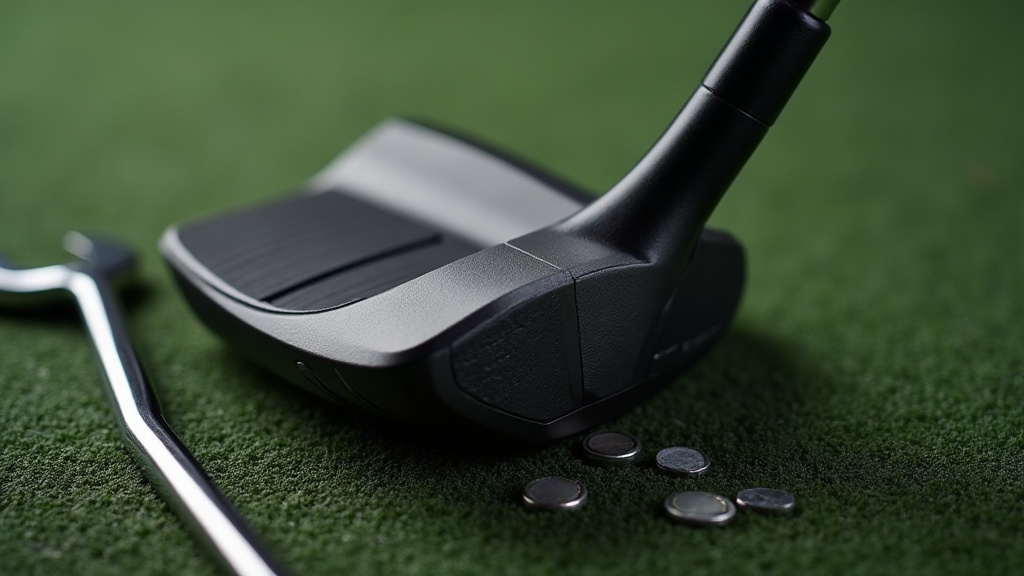
Adjusting Your Ping G430 Driver Settings
The Ping G430 driver’s Trajectory Tuning 2.0 hosel gives you eight adjustments: loft changes from -1.5° to +1.5° in 0.5° steps, plus a dedicated Flat setting that drops the lie angle by about 3°. Use the included torque wrench (set to 40 in‑lb), loosen the screw, rotate the hosel to the desired position, and retighten. The whole swap takes under a minute on the tee box. Start by setting the hosel to the standard “S” position, hit a few balls to establish a baseline, then move to the setting that targets your miss.
Which G430 Hosel Setting Corrects Your Miss?
The numbered ring shows -1.5, -1, -0.5, S, +0.5, +1, +1.5, and a separate “Flat” marker. The numbers indicate loft change relative to standard. Face angle changes are coupled with loft—lowering loft opens the face, raising loft closes it. The Flat setting leaves loft unchanged and only alters lie angle.
| Setting | Loft Change | Face Angle Change | Lie Change |
|---|---|---|---|
| -1.5 | -1.5° | Opens ~1.5° | None |
| -1.0 | -1.0° | Opens ~1.0° | None |
| -0.5 | -0.5° | Opens ~0.5° | None |
| S | Standard | Square | Standard |
| +0.5 | +0.5° | Closes ~0.5° | None |
| +1.0 | +1.0° | Closes ~1.0° | None |
| +1.5 | +1.5° | Closes ~1.5° | None |
| Flat | Same as S | Square | 3° flatter |
Important: This hosel design is specific to the G430. Earlier Ping models (G400, G410, G425) use Trajectory Tuning 1.0 or 2.0 but with different torque specs and setting labels. Never assume a G425 wrench or setting position directly transfers to the G430—always use the G430‑specific tool and verify the torque value printed on the sole (40 in‑lb). Over-torquing can strip the hosel threads and void the warranty.
How the Flat Setting Differs
The Flat setting does not change loft or face angle. It lowers the lie angle by 3°, dropping the toe at address. This helps players with a steep swing who tend to pull or hook the ball, but it can worsen a slice because it promotes a fade bias. Test it on real turf (not a mat) to feel the actual lie change.
Matching the Setting to Your Ball Flight
Raising Loft (+0.5° to +1.5°) – Closes the Face
- Effect: Higher launch, more backspin, face closed at impact.
- Best for: Reducing a slice (right‑handed golfer) or adding carry when launch is too low.
- Concrete outcome: A right‑handed player who fades the ball 15 yards on a 250‑yard drive typically sees that curve tighten to about 5 yards with +1.5°. Launch angle rises 1–1.5° and spin increases by roughly 300–400 rpm at a 95 mph swing speed.
- Trade‑off: If your miss is already a hook, adding loft will exaggerate it. The face closes further, potentially turning a draw into a snap‑hook.
Lowering Loft (-0.5° to -1.5°) – Opens the Face
- Effect: Lower launch, less spin, face open at impact.
- Best for: Reducing spin to maximize roll, or taming an over‑draw/hook.
- Concrete outcome: At 100 mph swing speed, -1.5° can drop spin by about 400 rpm and lower launch by 1.5°, adding 5–10 yards of roll on firm fairways.
- Trade‑off: Forgiveness drops noticeably. A toe‑side mis‑hit that would normally fade slightly can turn into a weak slice that loses 20+ yards. This setting is best for players with a consistent center‑face strike.
Using the Flat Setting for Steep Swings
- Effect: Lie angle flattens by 3°, dropping the toe at address.
- Best for: Players with a steep swing plane or those who routinely pull/hook the ball. A player who pulls shots 20 yards left can see that reduced to 5–10 yards left because the club sits more level through impact.
- Not for: Slicers. The Flat setting encourages a fade bias and can make a slice worse by exaggerating an open face at impact.
- Verification: After switching to Flat, hit five balls on a range with a marked lie board or impact tape. If the divot pattern or tape shows the toe digging deeper than the heel, the club is still too upright—consider a custom lie adjustment beyond what the hosel offers.
Step‑by‑Step Adjustment Process
1. Set the baseline. Loosen the screw with the G430 torque wrench, rotate the hosel ring to “S,” and tighten to the click (40 in‑lb). Hit five balls to record starting launch angle, spin, and shot shape (use a launch monitor or note the ball flight).
2. Choose your target setting. Based on your miss, select a loft change (see tables above). For a slice, go +1.0° or +1.5°. For a hook, try -1.0° or -1.5°. For a pull/hook with steep swing, try Flat.
3. Make the switch. Loosen the screw again, rotate the ring until the indicator points to your chosen setting, and retighten to the click. Wipe any dirt from the hosel before tightening to ensure proper seating.
4. Verify on the range. Hit five to ten more balls and compare to the baseline. Look for a tighter shot pattern and improved start line. If the curve hasn’t changed by at least 5 yards, the adjustment may not be enough—try the next increment or consider a shaft change.
5. Torque check. Always re‑tighten to the click. A loose screw can change the setting mid‑round or cause rattling. If you feel more than one click, the wrench may be faulty; stop and use a different tool.
Common Missteps and Trade‑offs
- Over‑tightening: The wrench clicks once at 40 in‑lb. If you force it past the click, you can strip the hosel threads or damage the composite crown. Repair costs typically exceed $100 and require sending the head back to Ping.
- Ignoring face angle coupling: Many golfers adjust loft expecting only launch change, forgetting that the face also rotates. A player who uses -1.5° to lower spin may find the open face turns a slight fade into a banana slice, losing distance and accuracy.
- Flat setting confusion: The Flat setting does not change loft, but because it lowers the toe, a player with a steep swing may feel the club “sit” more closed at address. That’s a visual illusion—the face angle stays square. Test it on real turf, not on a mat, to feel the true difference.
- Wrong tool: Aftermarket wrenches may not click at the correct torque or may not fit the G430 screw head. Only use the Ping‑supplied tool or a verified replacement with the same torque rating.
- Forgiveness penalty on extreme settings: The G430 is already a forgiving head, but maximum +1.5° or -1.5° settings reduce effective hitting area slightly. A 5‑yard off‑center hit on standard setting might become a 10‑yard miss on the extreme setting. If you’re an inconsistent striker, stay within ±1.0°.
When to Seek Professional Help
If you’ve tried all eight settings and your shot shape still leaves you more than 10 yards offline (on a 250‑yard drive), the issue is likely swing path or grip. A club fitter with a launch monitor can measure dynamic lie, spin axis, and face‑to‑path numbers to recommend a shaft change or head loft that better matches your delivery. The hosel adjustments are a tuning tool, not a cure for a fundamentally poor swing.
FAQ
What does the flat setting on the Ping driver do?
The Flat setting reduces the lie angle by about 3°, lowering the toe at address. It helps players with a steep swing who pull or hook the ball, but it can worsen a slice because it promotes a fade bias.
Does reducing loft on a driver open or close the face?
Reducing loft opens the face relative to the target line. On the G430, negative loft settings (-0.5°, -1.0°, -1.5°) make the face more open at impact.
How to adjust a Ping driver for a slice?
Increase the loft to +1.0° or +1.5° (closes the face) and keep the lie at Standard. Avoid the Flat setting. If the slice persists beyond 10 yards of curvature, consider a shaft change or a swing lesson.
What do the flat settings change for the Ping G430 driver?
The Flat setting alters only the lie angle—it does not change loft or face angle. It makes the club 3° flatter, which can reduce a pull/hook for steep-swing players but may increase a slice.

Michael Reeves is a PGA Professional with over 20 years of experience in competitive golf and instruction. A former Division I collegiate player at the University of Texas, he competed on the mini-tours before transitioning to full-time coaching and golf journalism. He has been a certified PGA teaching professional since 2005 and has worked with players at every level, from absolute beginners to collegiate champions.
His writing has appeared in Golf Digest, Golf Magazine, and The Left Rough. At GolfHubz, Michael leads the editorial team, overseeing fact-checking and ensuring every answer meets the same standard he demands on the lesson tee: clear, evidence-based, and immediately useful.
When he’s not writing or teaching, Michael plays to a +1.4 handicap at his home club in Austin, Texas. He has attended over 40 major championships as a journalist and fan, and has played more than 200 courses across 15 countries.
You can reach Michael at [email protected] or follow his occasional swing analysis posts on the site.